

One-line answer: The Customer Ledger lists all
transactions for one customer over a period – credit invoices, receipts,
returns and notes – with a running balance, so you know exactly what
they owe. It is available in all editions and is the statement you print
for credit customers.
Before you start
- The customer must exist in Master → Customer Master
with a customer code. - Credit sales must be made against that customer code, not as walk-in
cash sales. - Receipts should be recorded with Finance → Receipt
Voucher so payments appear.
Steps
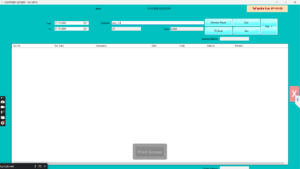
- Open Reports → Customer Ledger. The CUSTOMER LEDGER
screen opens with Customer and Code
fields, From and To dates, and the
Generate Report, View,
Print, TO Excel and
Clear buttons. - Select the customer by Code or name. The
Terms field shows their credit terms.
- Enter the period in From and To.
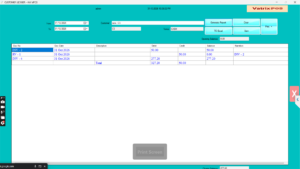
For a full statement, start from the first day you used Vatrix. - Click Generate Report. The grid shows the
Opening Balance, then each entry with Doc
Date, Doc No, Description,
Narration, Debit,
Credit and running Balance, ending
with the Closing Balance.
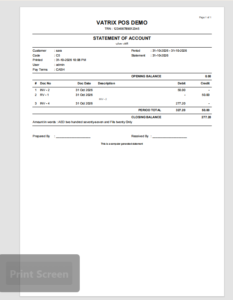
- Click Print and choose A4 for a
statement or Thermal (80mm) for a receipt-size copy.
- Click TO Excel to send the statement by email, or
View to open a document from the grid.
Check it worked
The Closing Balance equals the amount shown for that
customer in Reports → Customer Ageing Report as of the
To date.
Common problems
- Invoices missing → they were made as cash or
walk-in sales without the customer code. Future invoices must select the
customer. - Payment not showing → the receipt was taken in POS
as cash rather than a Receipt Voucher against the invoice. Record it
under Finance → Receipt Voucher. - Opening Balance is wrong → the From date cuts off
earlier entries. Move From back to cover all
history.
Video
FAQ
Can I send the statement on WhatsApp? Export with
TO Excel or print to PDF from the A4 print and share
the file.
Is there a report for all customers together? Yes.
Reports → Customer Ageing Report shows every customer’s
balance by age.
Does the ledger show loyalty points? No. Loyalty
points are tracked separately; see Loyalty setup: points rules and
Loyalty Voucher.
Need help?
WhatsApp +971 50 428 2953 · sales@vatrixerp.com · 9:30 am–9:30 pm