

One-line answer: Serial number capture makes Vatrix
ask for a serial or IMEI number each time a serial item is received in a
GRN and sold in an invoice, so you always know which unit went to which
customer. It is used in the Retail, Retail 2nd Edition, Weigh Scale and
ERP editions, mainly by mobile, electronics and appliance shops.
Before you start
- Log in as admin or a user with Admin →
Settings access. - Inventory Control should already be on in
Admin → Settings, because serial numbers are tracked
with stock. - Close any open POS Invoice or GRN screens. Settings apply after you
restart Vatrix.
Steps
- Open Admin → Settings. The Settings screen opens on
the General1 tab. - Find the inventory options and tick Enable Serial
No.
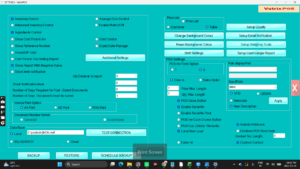
- If you want the serial number printed on the customer’s invoice,
also tick Enable Serial No Print. - Click Apply. Close Vatrix and open it again so the
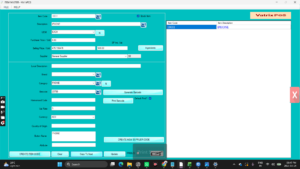
new columns appear. - Open Master → Item Master, select the item that
needs serial tracking, mark it as a serial item and click
Update.
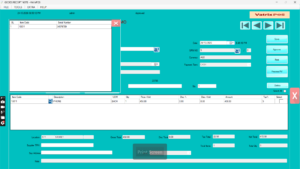
- Receive stock through Procurement → Goods Reciept
Note. When you enter the item, the SERIAL NO
column is active. Type one serial number per unit (for phones, up to 2
IMEI numbers per unit) and click Save, then
Approve.
- Sell the item in Transaction → POS Invoice. When
you add the item, Vatrix asks you to pick the serial number from the
units in stock. Choose it and finish the invoice as usual.
Check it worked
Open Reports → Serial Number Tracking Report, enter
the item code and click Generate Report. The serial
number should show the GRN it came in on and the invoice it went out
on.
Common problems
- No SERIAL NO column in GRN → the setting was
applied but Vatrix was not restarted. Close and reopen the program. - POS does not ask for a serial number → the item is
not marked as a serial item in Item Master, or stock was added by Stock
Adjustment without serials. Receive it through a GRN instead. - Serial number already exists → the same number was
entered on an earlier GRN. Check the Serial Number Tracking Report
before entering it again.
Video
FAQ
Can I track two IMEI numbers on one phone? Yes.
Vatrix supports up to 2 IMEI numbers per unit.
Does Vatrix support batch numbers as well?
No. Vatrix tracks serial numbers and expiry dates, but not batch
numbers.
Can I turn serial capture off later? Yes. Untick
Enable Serial No and click Apply.
Existing serial records stay in the database.
Need help?
WhatsApp +971 50 428 2953 · sales@vatrixerp.com · 9:30 am–9:30 pm