

One-line answer: The Trial Balance lists every
account with its debit and credit total for a month, so you can confirm
the books balance before preparing the Income Statement and Balance
Sheet. It is available in all editions and is most used in Vatrix
ERP.
Before you start
- Your user role must include Reports.
- Approve all invoices, GRNs, vouchers and journal entries for the
month. Unapproved documents are not posted. - Know the Month and Year you want
to check.
Steps
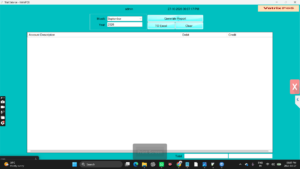
- Open Reports → Trial Balance. The Trial Balance
screen opens with Month and Year
selectors and the Generate Report, TO
Excel and Clear buttons. - Select the Month and Year.
- Click Generate Report. The grid shows each
Account Description with its Debit and
Credit balance, and the Total row at
the bottom.
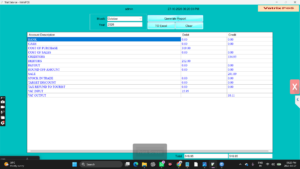
- Compare the Debit total and Credit total in the
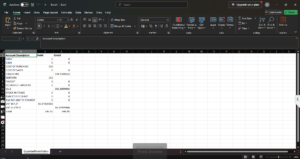
Total row. They should be equal. - Click TO Excel to export the report. Choose a
folder and file name when Windows asks.
- Click Clear to choose another month.
Check it worked
The Debit and Credit totals match. If a figure looks wrong, open
Reports → General Ledger for that account and trace the
entries.
Common problems
- Totals do not match → a journal voucher was saved
with unequal debit and credit lines, or a document is half posted. Check
Finance → Voucher (View Vouchers) for unapproved
entries. - Account missing → no transaction touched that
account in the month. Accounts with zero movement are not listed. - Report blank → the month has no approved documents,
or the database connection is set to a different location. Check
Admin → DB Manager.
Video
FAQ
Can I run the Trial Balance for a date range? No. It
runs by month and year. Use the General Ledger for custom date
ranges.
Does the Trial Balance include VAT accounts? Yes.
Input VAT and output VAT accounts appear with their balances alongside
the other accounts.
Which edition do I need for full accounting? Vatrix
ERP includes vouchers, journals, ledgers, Trial Balance, Income
Statement and Balance Sheet. POS editions show the reports but post
fewer transaction types.
Need help?
WhatsApp +971 50 428 2953 · sales@vatrixerp.com · 9:30 am–9:30 pm