

One-line answer: The General Ledger shows every
transaction posted to one main account between two dates, with a running
balance. Accountants use it to check bank, cash, VAT, expense and income
heads before filing or closing the month. It is available in all
editions (Restaurant, Retail, Retail 2nd Edition, Salon, Laundry, Weigh
Scale and ERP).
Before you start
- Your user must have Finance Reports permission in
Admin → User Management. - Know the account name you want to check (see Master →
Account Master). - Make sure all vouchers for the period are approved; unapproved
documents do not post.
Steps
- Open Reports → General Ledger. The GENERAL LEDGER
screen opens with the filter bar at the top.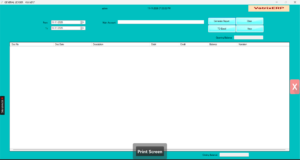
- Select the Main Account from the drop-down or
search list. - Set From and To dates.
- Click Generate Report. The grid fills with
Doc Date, Doc No,
Narration, Debit,
Credit and Balance.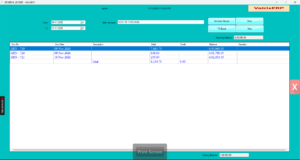
- Read Opening Balance at the top and Closing
Balance at the bottom. Opening is the balance before the From
date. - Click View on a row to open the source voucher or
invoice. - Click TO Excel to export the ledger for your
auditor.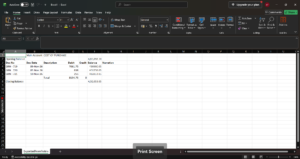
- Click Clear to run another account.
Check it worked
The Closing Balance of the account should equal the same account’s
figure in Reports → Trial Balance for the same To
date.
Common problems
- Report is empty → No approved entries in the date
range, or the wrong account is chosen. Widen the dates. - Balance does not match the bank statement → Missing
bank charges or deposits. Post them with Finance → Journal
Voucher or Finance → Contra Voucher. - Customer or supplier not in the list → Customers
and suppliers are sub-ledgers. Use Reports → Customer
Ledger or Reports → Supplier Ledger
instead.
Video
FAQ
Can I see all accounts at once? Use Reports
→ Trial Balance for all account balances. General Ledger is one
account at a time.
Does POS Invoice post to the General Ledger? Yes.
Cash and card sales post to the sales, VAT and cash or card accounts
automatically.
Can I print the ledger? Export with TO Excel and
print from Excel, or use the report print button if shown on your
version.
Need help?
WhatsApp +971 50 428 2953 · sales@vatrixerp.com · 9:30 am–9:30 pm