

One-line answer: A Stock Transfer Out records goods
leaving one location (warehouse or shop) for another location in the
same company. The receiving location later confirms it with a Stock
Transfer In. Use it in ERP, Retail, Retail 2nd Edition, Laundry and
Weigh Scale editions with two or more locations.
Before you start
- Both locations must exist in Master → Location
Master. - Your user needs Inventory permission in
Admin → User Management. - Count the physical goods first so the quantities match.
Steps
- Open Inventory → Stock Transfer → Stock Transfer
Out. The Stock Transfer screen shows a new DOC
NO and today’s Date.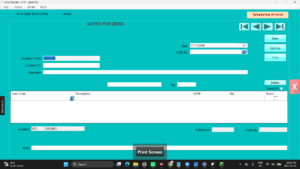
- Choose Location From (where the stock is now) and
Location To (where it is going). - Scan a barcode in Barcode or type the Item
Code. The Description and UOM
fill in. - Enter the Qty and press Enter. The line is added to
the grid. - Repeat for every item. Total Items and
Total Qty update at the bottom.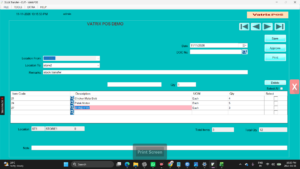
- Type Remarks (driver name, vehicle, reason) if you
need them on the printout. - Click Save to keep a draft, or
Approve to post it. Approved transfers reduce stock at
Location From immediately.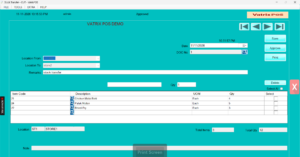
- Click Print or PRINT PRIVIEW and
send the transfer note with the goods.
Check it worked
Open Reports → Stock Report for Location From: the
quantities are reduced. Reports → Stock Transfer Report
lists the document under Pending Transfer until the
receiver does the Stock Transfer In.
Common problems
- Approve says insufficient stock → Inventory
Control is on and the sending location does not have the
quantity. Check Stock Report or post a Stock Adjustment first. - Item not found → The code is wrong or the item is
frozen. Check Master → Item Master. - Transferred to the wrong location → If not yet
received, ask the receiver not to pull it and make a reverse transfer
from Location To back to Location From.
Video
FAQ
Does a transfer change cost or price? No. Stock
moves at its existing cost; no sale is recorded.
Can I transfer serial number items? Yes. Enter the
SERIAL NO on each line so tracking follows the item to
the new location.
Can I reopen a saved transfer later? Yes. Click
SAVED DOC, select the document and continue.
Need help?
WhatsApp +971 50 428 2953 · sales@vatrixerp.com · 9:30 am–9:30 pm