

A customer code lets you bill a named customer on credit, print their
TRN on the tax invoice, track loyalty points and see their ledger.
Walk-in sales use the default cash customer, so you only create codes
for customers you need to follow up. Available in all editions: ERP,
Laundry, Restaurant, Retail, Retail 2nd Edition, Salon and Weigh
Scale.
Before you start
- Log in as admin or a user with Sales permission.
- Collect the customer’s name, mobile number, TRN (if a business) and
agreed credit terms.
Steps
- Open Master → Customer Master. The Customer screen
opens with the existing list. - Click CREATE NEW CUSTOMER. The form clears and a
new Customer Code is suggested; you can type your own.
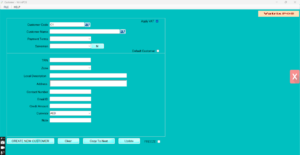
- Type the Customer Name and, if needed, the
Local Description (Arabic name). - Enter Contact Number, Email ID,
Address and Zone. - Enter the TRN and tick Apply VAT
for VAT-registered business customers. - Set Payment Terms. For credit customers tick
Control Credit and enter the Credit
Amount limit. - Choose a Salesman if commissions or salesman
reports are used. - Add a Note (for example delivery
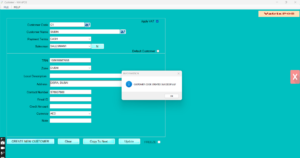
instructions). - Click Update. The customer appears in the list.
Import many customers
- Click DOWNLOAD TEMPLATE, fill the Excel sheet (one
customer per row), then click BULK CUSTOMER and choose
the file.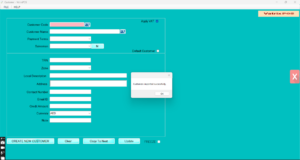
Check it worked
Open Transaction → POS Invoice, click Cus.
Details and type the code or mobile number. The customer’s name
should appear on the invoice.
Common problems
- “Customer code already exists” → pick another code, or search the
list; the customer may already be there. - Credit invoice blocked → Control Credit is on and the balance
exceeds Credit Amount. Receive a payment or raise the limit. - Bulk import fails → column headers were changed. Download the
template again and paste your data into it.
Video
FAQ
Can the cashier create a customer during billing?
Yes. On the POS invoice, Cus. Details has an add-customer option that
saves to Customer Master.
Can I set one customer as default? Yes, tick
Default Customer in Customer Master; new invoices start
with that customer.
Can I export my customer list? Click To
Excel in Customer Master.
Need help?
WhatsApp +971 50 428 2953 · sales@vatrixerp.com · 9:30 am–9:30
pm.