

One-line answer: Instead of typing items one by one,
you can copy a list of item codes (or barcodes) and quantities from
Excel and load them into a document in one go. This works on Sales
Invoice, Purchase Order, Goods Reciept Note and Stock Transfer in ERP,
Retail, Retail 2nd Edition, Restaurant, Laundry and Weigh Scale
editions.
Before you start
- The items must already exist in Master → Item
Master. - Prepare an Excel sheet with two columns: item code (or barcode) and
quantity. No headings, no blank rows. - Prices are taken from Item Master unless your sheet includes a rate
column.
Steps
- Open the document, for example Transaction → Sales
Invoice. Fill in Customer Code and
Date as usual. - In Excel, select the item code and quantity cells and press
Ctrl+C. - On the document toolbar click TOOLS. You see
Bulk Itemcode From Excel and Bulk Barcode From
Excel.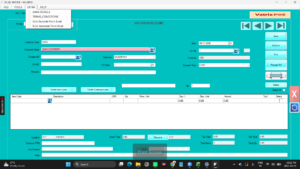
- Click Bulk Itemcode From Excel if your sheet has
item codes, or Bulk Barcode From Excel if it has
barcodes. - Vatrix reads the clipboard and fills the grid with Item
Code, Description, Qty,
Price /Unit and Amount for every row.
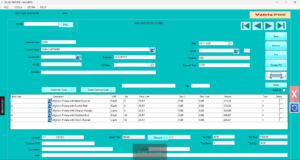
- Check Total Items and Total Qty at
the bottom match your sheet. - Correct any line if needed, then click Save and
Approve.
Check it worked
Total Items equals the number of rows you copied.
Codes that were not found are listed in a message so you can add them in
Item Master and paste again. 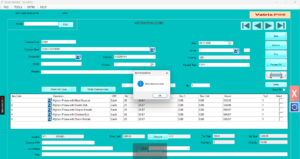
Common problems
- Nothing loads → The clipboard was empty or you
copied a heading row. Copy only the data cells. - Some items missing → Those codes do not exist or
are frozen in Item Master. Create or unfreeze them. - Quantities show as zero → The quantity column had
text or blank cells. Use numbers only.
Video
FAQ
Does this work on POS Invoice? No. POS Invoice is
built for scanning. Use Sales Invoice for long lists.
Can I paste barcodes and item codes together?
No. Use one type per paste. Run the barcode paste first, then the item
code paste.
Is there a limit on rows? There is no fixed limit,
but very large lists take longer to load. Keep under a few hundred lines
per document for speed.
Need help?
WhatsApp +971 50 428 2953 · sales@vatrixerp.com · 9:30 am–9:30 pm