

One-line answer: The Income Statement shows your
income and expense accounts for a period and the resulting net income,
in the style of a profit and loss statement. It is available in all
editions, and it is most useful in Vatrix ERP where purchases, vouchers
and journal entries are posted to accounts.
Before you start
- Your user role must include Reports.
- Approve all sales, GRNs and vouchers for the period. Unapproved
documents are not posted to accounts. - If you run more than one location, know whether you need one
location or all.
Steps
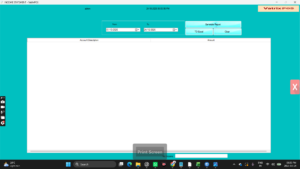
- Open Reports → Income Statement. The Income
Statement screen opens with From and
To date fields, an All Location
option, and the Generate Report, TO
Excel and Clear buttons. - Enter the period in From and To,
for example the first and last day of the month or quarter.
- Leave All Location ticked to include every branch,
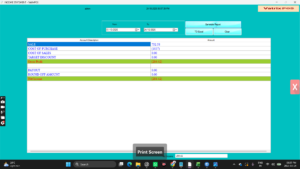
or untick it and choose a single location. - Click Generate Report. The grid lists each
Account Description with its Amount,
and the Net Income for the period shows at the bottom.
- Click TO Excel to save the figures as an Excel file
for your accountant. Choose a folder and file name when Windows
asks. - Click Clear to reset the dates and run another
period.
Check it worked
The Net Income figure should be positive when sales exceed cost of
sales and expenses. Compare the sales line with the Sales Report total
for the same dates; they should match.
Common problems
- Report is blank → the date range has no approved
documents, or the wrong location is selected. Widen the dates and tick
All Location. - Sales do not match the Sales Report → some invoices
are still unapproved or were created with a back date outside the range.
Approve them and regenerate. - Expenses missing → expenses were paid without a
Payment Voucher or Pay Out entry. Record them under
Finance and run the report again.
Video
FAQ
Is this the same as the Trial Balance? No. The Trial
Balance lists all accounts with debit and credit totals. The Income
Statement shows only income and expense accounts and the net result.
Can I print it? Export with TO
Excel and print from Excel. This keeps the layout clean on
A4.
Does it include VAT? Sales and purchases are shown
net of VAT. VAT collected and paid sits in the VAT accounts; use the VAT
Filling Report for return figures.
Need help?
WhatsApp +971 50 428 2953 · sales@vatrixerp.com · 9:30 am–9:30 pm